
Outdoor Wireless (ADC-V722W)

Preview Box
| Device image | 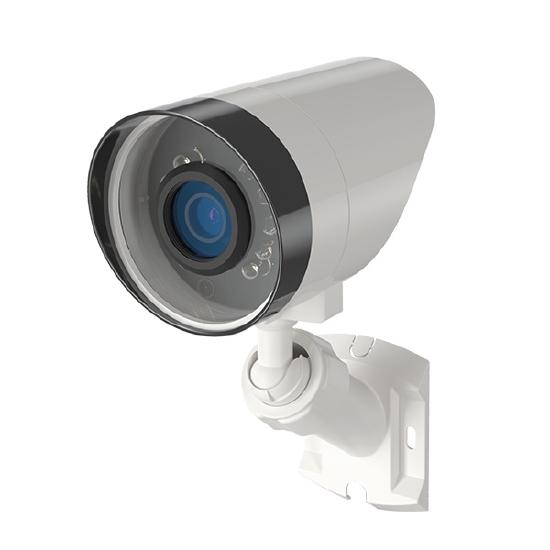 |
|---|---|
| Live view resolution | 1920x1080 |
| Field of view | 88° |
| Night vision | 0 lux with IR, up to 12 meters (~40 feet) |
| Enrollment methods |
AP mode, WPS For enrollment instructions, see Outdoor Wireless (ADC-V722W) - Installation Guide. |
| Ethernet compatibility | Incompatible |
| Wi-Fi compatibility | Compatible with 802.11 b/g/n/ac, 2.4 and 5 GHz connections |
| Video Motion Detection |
Compatible For Video Motion Detection (VMD) setup instructions, see Configure Video Motion Detection (VMD) settings for a video device. |
| Video Analytics |
Video Analytics 1.0 on firmware version vIP8168- ALAM-0100f5+ For Video Analytics setup instructions, see Configure a Video Analytics rule. |
| Onboard Recording | Incompatible |
| Two-Way Audio | Incompatible |
| Factory Reset |
Location: The Reset/WPS button can be found on the back of the camera. Procedure: Hold the WPS button until the LED alternates red and green, which usually happens after 10-15 seconds. For more details about the factory reset process, see Factory reset an ADC-V722W to its default settings. |
Data Sheets
Installation Guides
User Guides
- Use WPS to enroll the ADC-V722WWi‑Fi Protected Setup (WPS) allows the ADC‑V722W camera to connect to a wireless network without manually entering the Wi‑Fi name or password.
- Configure a Video Analytics ruleAlarm.com Video Analytics continuously scans a property and sends a notification when a person, vehicle, or animal is identified. Advanced detection rules enhance perimeter security by sending alerts when someone is coming or going, or even loitering on the property.
Frequently Asked Questions
General information
- Change the Wi-Fi network settings of a video deviceYou can change a video device's network information manually using the Customer website as long as the device has power and is still connected to an active network.
- Configure a Video Analytics ruleAlarm.com Video Analytics continuously scans a property and sends a notification when a person, vehicle, or animal is identified. Advanced detection rules enhance perimeter security by sending alerts when someone is coming or going, or even loitering on the property.
- How well can Alarm.com cameras see in the dark? (night vision, infrared)
- Reconnect a camera to a wireless network if the router, equipment, or Wi-Fi settings change
- Request the wireless signal strength of a video deviceVideo device wireless signal strength can be checked remotely for devices on the customer account at any time using the Customer app or Customer website, or during installation for supported devices using the Customer app. It is generally recommended for video devices to have at least 66% wireless signal strength.
- Update the firmware of a video deviceThe firmware of an Alarm.com video device can be updated remotely using the Partner Portal, MobileTech app, or Customer website. Keeping the firmware up-to-date ensures that the device will be compatible with new features.
Additional Resources
Visit Products and Solutions for more information about 1080p Wi-Fi Video Cameras.