
Indoor/Outdoor Mini Bullet (ADC-VC726)
Quick Facts
| Device image | 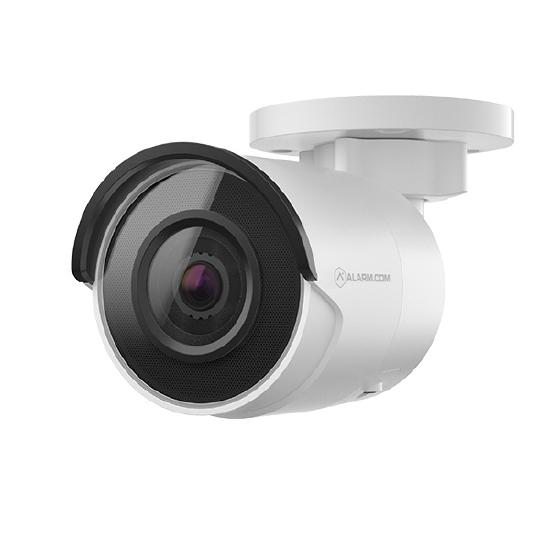 |
|---|---|
| Live view resolution | 1920x1080, 1280x720, 640x360 |
| Field of view | 86° |
| Night vision |
0 lux with IR, up to ~95 feet (30 meters) |
| Enrollment methods |
Ethernet For enrollment instructions, see ADC-VC726 - Installation Guide. |
| Ethernet compatibility |
Has a 10/100 Mbps RJ-45 Ethernet port Compatible with PoE |
| Wi-Fi compatibility | Not compatible |
| Video Motion Detection |
Compatible For Video Motion Detection (VMD) setup instructions, see Configure Video Motion Detection (VMD) settings for a video device. |
| Video Analytics |
Compatible Not compatible with Business Activity Analytics (BAA) For Video Analytics setup instructions, see Configure a Video Analytics rule. |
| Onboard Recording | Not compatible |
| Two-Way Audio | Not compatible |
| Factory Reset |
Location: The Reset button can be found on the back of the camera. Procedure:
|
Installation guides
User guides
- Factory reset an ADC-VC726 to its default settingsResetting a device to its factory default settings removes all of its existing programming and memory. Most devices must be removed from the account and re-enrolled after a factory reset.
How-to troubleshooting guides
Frequently asked questions
General information
- Commercial video internet bandwidth guidelines
- Connect a video device using Power-Over-Ethernet (PoE)
- How does Power-over-Ethernet (PoE) work with Alarm.com video devices?
- How well can Alarm.com cameras see in the dark? (night vision, infrared)
- Video Analytics best practices
- What is the maximum distance of Power-over-Ethernet (POE)?
- Which video devices support Video Analytics?Cameras that are compatible with Video Analytics can detect and record people/animals/vehicles that pass through or linger in areas of interest.