
1 Channel Video Server (ADC-VS120) - Data Sheet
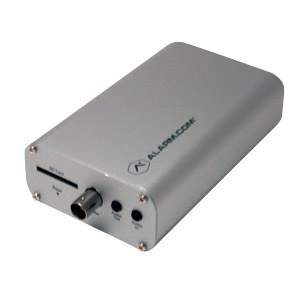
The ADC-VS120 is Alarm.com’s 1-channel video server. Designed specifically to work with the Alarm.com hosted video service, it provides a professional surveillance solution.
It can connect to any analog video camera and provides remote access to live and recorded video for customers through web-enabled computers, cell phone web browsers, and free downloadable apps compatible with all Alarm.com enabled mobile devices.
Included accessories
- Power Adapter
- Input/output connectors

Features
| Live resolution options | 704x480, 352x240, 176x120 |
|---|---|
| Recording resolution options | 704x480, 352x240, 176x120 |
| Live quality | High, medium and low compression options |
| Recording quality | High and medium compression options |
| Recording compression | H.264, MPEG-4 |
| Image sensor | Depends on analog camera |
| Iris | Depends on analog camera |
| Field of view | Depends on analog camera |
| Low-light sensitivity | Depends on analog camera |
| Image adjustments | Brightness, Contrast, Saturation, Sharpness, Exposure |
| Video motion detection | 3 windows, adjustable sensitivity and threshold |
| Digital input trigger | Yes |
| Ethernet connection | 10/100 Mbps RJ-45 |
| Password authentication | “Digest” authentication |
| Simultaneous viewers | 10 |
| Operation temperature | 32° ~ 104° F (0°C ~ +40°C) |
| Operating humidity | 20% ~ 80% RH |
| Max power consumption | 12V DC, 5 W |
| Dimensions (LxWxH) | 4.8” x 3.0” 1.4” |
| Weight | 8.5 oz |
Note: For information about frame rate (FPS), see What is the frame rate for video?.
Network requirements
| Minimum bandwidth |
0.25 Mbps For more information, see What are the internet service and bandwidth requirements for Alarm.com video devices?. |
|---|
LED guide
| LED pattern | Status | Description |
|---|---|---|
|
Solid green
|
Connected to internet | Local network and internet connection with Alarm.com IP. |
|
Blinking green
|
Local network connection |
Local network connection with a local IP address, no internet. Note: If the LED does not go to solid green after a few minutes, see Camera LED is blinking green. |
|
Solid red
|
Power on, or no network connection |
Power on, system booting up typically 60-90 seconds. If solid red for longer than 60-90 seconds, then there is no local or internet connection. |
|
Blinking red
|
Firmware update | Device firmware update is in progress. |
|
Blinking red and green
|
Factory reset |
The video device is restoring to factory default settings. Important: If the video device is already installed, it may need to be removed from the Alarm.com account and re-added after a factory reset. To perform a factory reset, use a thin tool (e.g., paper clip) to hold the reset button for about 10-15 seconds. |




