Knowledge Base

2GIG Panels - Comparison chart

The following sections compare Alarm.com compatible 2GIG panels- GoControl (1 and 2), GC2e, GC3, GC3e, and EDGE.  

Panel information 

Features GC1 + GC2 GC2e GC3 GC3e EDGE
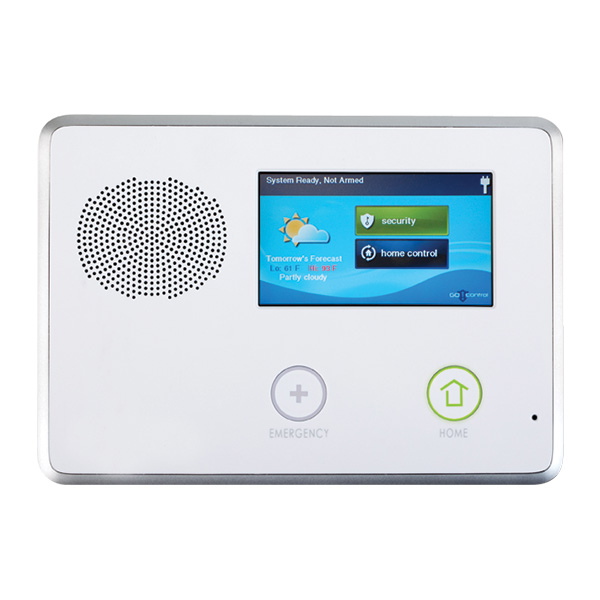
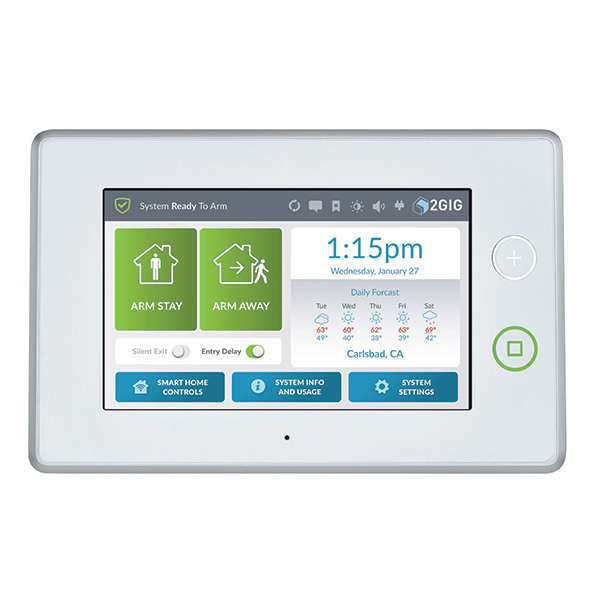
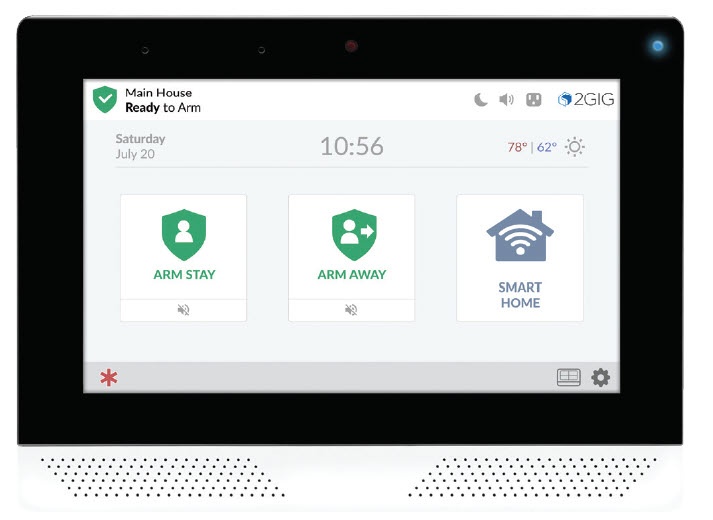
Panel image 2gig_GC2.jpg GC2e.png 2GIG-GC3.jpg 2GIG-GC3E-345-front.png 2GIG Edge straight on.jpg
Most recent firmware  1.19.4 1.24 3.2.6 3.2.6 1.3
User codes 
  • 7 user codes for version 1.8 and below
  • 32 user codes for versions 1.9 to 1.13
  • 64 user codes for versions 1.14+

Plus one duress code

Supports 4-digit user codes

64 user codes 

Supports 4-digit user codes. On firmware 1.23+, 6-digit user codes are supported and programmable in Q98. 

100 user codes (including master code, duress code, installer code) 

Supports 4-digit user codes. On firmware 3.2.2+, 6-digit user codes are supported and programmable in Q71. 

100 user codes (including master code, duress code, installer code)

Supports 4-digit user codes. On firmware 3.2.2+, 6-digit user codes are supported and programmable in Q71. 

125 user codes (including master code, duress code, installer code) 

Supports 4- and 6-digit user codes. Programmable in Q102. 

Sensors (zones) 
  • 48 wireless zones

    Note: Versions 1.14+ support 60 wireless zones
     
  • 8 key fobs
  • 4 keypads
  • 2 hardwired zones
  • 64 Wireless Zones
  • 1 Wired Zone
  • 4 keypads
  • 8 Keyfobs
  • 100 wireless zones
  • 32 key fobs
  • 2 hardwired zones
  • 100 wireless zones
  • 32 key fobs
  • 2 hardwired zones
  • 100 wireless zones
  • 32 key fobs
  • 2 hardwired zones
Partitions  1 partition 1 partition
  • Panel firmware version below 3.2.0 supports 1 partition
  • Panel firmware version 3.2.0+ supports up to 4 partitions (Smart Areas) 
4 partitions (Smart Areas)  4 partitions (Smart Areas) 
Firmware requirements
  • Verizon LTE modules require panel firmware version 1.17+ 
  • Verizon LTE CAT1 modules require panel firmware version 1.19+
  • AT&T LTE modules require panel firmware version 1.19.3+
All versions (Panel firmware version begins at 1.21) are compatible with 3G and 4G modules 
  • Verizon LTE requires panel firmware version 3.0.2+ 
  • Verizon CAT1 LTE requires panel firmware version 3.1.3+ 
  • AT&T requires panel firmware version 3.2.3+
All versions (Panel firmware version begins at 3.2.1)  are compatible with 3G and 4G modules  All versions (Panel firmware version begins at 1.0) are compatible with the 4G LTE cellular network
Dual-Path Dual-Path is available by adding a Go!Bridge. For more information, see Configure the Go!Bridge with a 2GIG GoControl Compatibility is possible, but requires hardware changes. For more information, see What is the difference between the 2GIG GoControl and GC2e panel? Dual-Path is available via Wi-Fi or Ethernet. Additional hardware required for Ethernet connection.  Dual-Path is available via Wi-Fi Dual-Path is available via Wi-Fi
Sensor names
  • Global (panel + website): Up to 5 words from the system vocabulary 
  • Website: 56 characters
  • Global (panel + website): Up to 5 words from the system vocabulary 
  • Website: 56 characters
  • Global (panel + website): Up to 4 words from the system vocabulary 
  • Website: 56 characters
  • Global (panel + website): Up to 4 words from the system vocabulary 
  • Website: 56 characters
  • Global (panel + website): Up to 4 words from the system vocabulary 
  • Website: 56 characters
Firmware update methods OTA or 2GIG update cable  OTA or 2GIG update cable  OTA or USB flash drive OTA or USB flash drive OTA or USB flash drive
Image Sensors 
  • Panel firmware version 1.10+ 
  • The 900 MHz XCVR2 transceiver must be installed in the panel
  • GC models (2GIG-IMAGE1) 
  • Panel firmware version 1.23+
  • The 2GIG XCVR5e Transceiver adapter for the Image Sensor must be installed in the panel
  • Image Sensor version 3 only
  • Panel firmware version 3.0.1+
  • The 2GIG XCVR3 Transceiver Adapter for the Image Sensor must be installed in the panel
  • LP models
  • Panel firmware version 3.0.1+
  • The 2GIG XCVR3 Transceiver Adapter for the Image Sensor must be installed in the panel
  • LP models
Incompatible
Secondary keypad TS1 TS1 SP1 and SP2  SP1 and SP2  2GIG-EDG-RK 
Panel camera Incompatible Incompatible Incompatible Incompatible Compatible
Facial recognition  Incompatible Incompatible Incompatible Incompatible Compatible
Stream video to panel  Incompatible Incompatible Incompatible Incompatible Compatible
Built-in glass break  Incompatible Incompatible Incompatible Incompatible Compatible
Bluetooth disarming Incompatible Incompatible Incompatible Incompatible Compatible

Z-Wave information

Features GC1 + GC2 GC2e GC3 GC3e EDGE
Z-Wave Neighbors  CompatibleRequires panel firmware 1.14+ Compatible Compatible Compatible Compatible
LQI 

CompatibleRequires panel firmware 1.17+

Compatible Compatible Compatible Compatible
Z-Wave S2  Incompatible Compatible Incompatible Compatible Compatible
Z-Wave Plus  Incompatible Compatible Incompatible Compatible Compatible
Z-Wave SmartStart Incompatible Incompatible Incompatible Incompatible Compatible