
Nice On/Off-Control2
Quick facts
| Device Image | 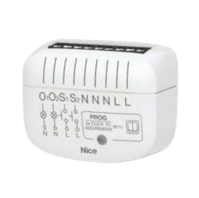 |
|---|---|
| Manufacturer | Nice |
| Power Requirements | 100 - 240 VAC 50/60 Hz |
| Z-Wave Security 2 (S2) | Compatible |
| Z-Wave SmartStart | Compatible |
The Nice On/Off-Control2 is an on/off relay switch that can be installed in a wall-mounted box and can control up to two devices with a maximum total power of 2300 W (or 160 W for LED loads).
The Nice On/Off-Control2 can be enrolled into or deleted from a Z-Wave network using the following instructions.
For more information about installing a Nice On/Off-Control2, refer to the manufacturer's Nice On/Off-Control2 - Installation Guide.
For an overview of the device, refer to the manufacturer's Nice On/Off-Control2 Overview.
To enroll a Nice On/Off-Control2:
For more information about adding Z-Wave devices, see Add Z-Wave devices.
To trigger the device for local enrollment using Add Mode:
- Verify the device is connected to power. Verify the red LED glows (not yet added).
- Place the Z-Wave controller into Add Mode.
- Quickly, click the PROG button on the device three times. Alternatively, click S1 or S2 three times quickly.
- Wait for the adding process to complete.
- Successful addition is confirmed by the Z-Wave controller message and the device LED indicator:
- Green – successful (non-secure, S0, S2 non-authenticated)
- Magenta – successful (Security S2 Authenticated)
- Red – not successful
Note: If you're adding the device in the Security S2 Authenticated mode manually, input the PIN Code, which is labeled on the device. The PIN Code is also an underlined part of the device-specific key (DSK) labeled at the bottom of the box.
To delete a Nice On/Off-Control2:
- Place the Z-Wave controller into Delete Mode.
- Quickly, click the PROG button three times. Alternatively, click quickly S1 or S2 three times within 10 minutes of powering up the device.
- Wait for the removal process to end.
- Successful removal is confirmed by the Z-Wave controller message.
- The device LED indicator glows red.
To reset a Nice On/Off-Control2:
- Switch off the mains voltage (disable the fuse).
- Remove the device from the wall switch box.
- Switch on the mains voltage.
- Press and hold the PROG button to enter the menu.
- Wait for the LED indicator to glow yellow.
- Quickly release and click the PROG button again.
- During the factory reset, the LED indicator blinks yellow.
- After a few seconds, the device is restarted, which is signaled with the red color of the LED indicator.