Knowledge Base

Factory reset an ADC-VC727P to its default settings

Resetting a video device to its factory defaults removes all programming and memory from the device. 

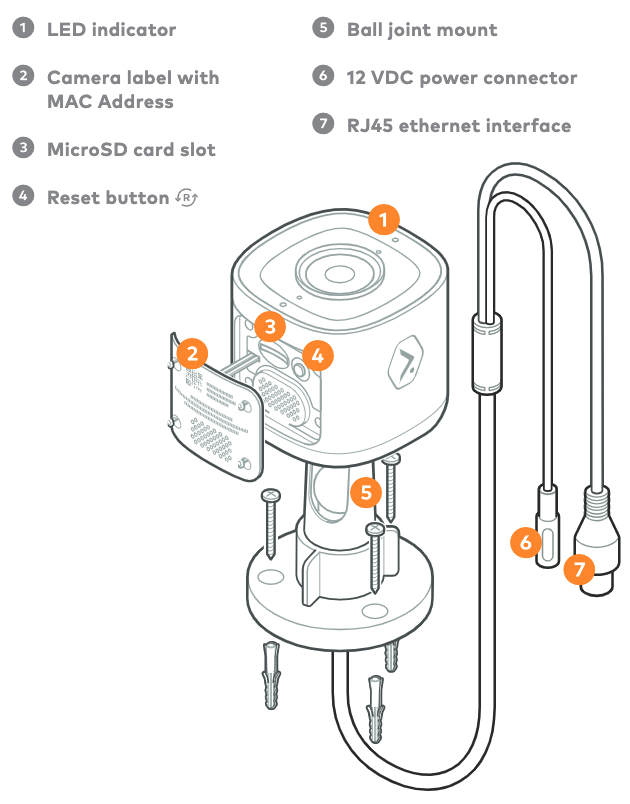
Reset procedure Reset button location
  1. Verify that the device is fully powered on.
  2. Press and hold the Reset button until the LED is flashing Green and Red (about 15 seconds).
  3. Release the button. The camera will reboot with factory defaults.
On the bottom of the camera inside the weatherproof door (4 on the diagram).

Camera overview diagram.png

Interested in Alarm.com?

Alarm.com technology is sold, installed, and serviced by licensed service providers near you.


Let's Get Started

  • Was this article helpful?