
What is night arming?
Night arming is similar to arming the panel to stay mode, but any interior zone with a night arming setting enabled is bypassed when the system is set to arm in night mode and interior zones are armed instead. Typically night zones are motion detectors.
Note: For SEM-Honeywell/ADEMCO Vista panels, sensors with the night stay attribute are not bypassed when using the Night Arm function and interior zones are bypassed instead.
Requirements
The following are required to use night arming:
- A compatible panel and version
- DSC Impassa
- DSC PowerSeries Neo/Pro
- Qolsys IQ Pro with version 4.2.1+
- Qolsys IQ Panel 4 with version 4 4.4.0+
- Qolsys IQ Panel 4 Hub with version 4.4.0+
- Qolsys IQ4 NS with version 4.4.0+
Note: If motion sensors are not enrolled in Group 21 for Qolsys panels, the panel will Arm Away when Night Arming is selected. - SEM-DSC PowerSeries
- SEM-Honeywell/ADEMCO Vista
- A night zone type must be programmed into the panel
Note: If there are no night zone types programmed into the panel, the panel will revert to Arm Away.
For additional information about panel programming, refer to the panel manufacturer or panel installation guides.
Arm the system to night mode remotely
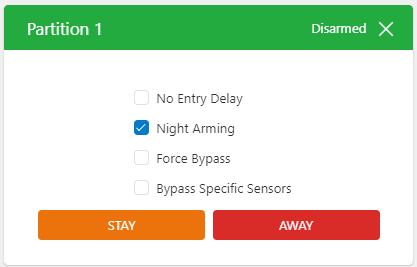
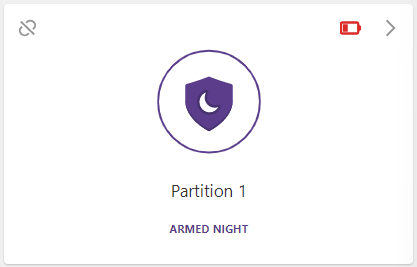
Night arming can be performed using the Alarm.com customer website or Alarm.com app. When arming the panel from the System card, click to select Night arming and then click Stay.
The following displays an example of how this appears on a DSC PowerSeries Neo on the Alarm.com customer website. This is similar on the Alarm.com app and for all compatible panels.
For information about locally arming the panel to night mode, refer to the panel manufacturer or panel/keypad user guides.