
DSC Impassa - Quick Module Install Guide
The DSC Impassa is shipped with modules pre-installed. However, if the module or inside of the panel needs to be accessed, use the following instructions.
For the full installation guide, see DSC Impassa Installation Guide - Panel.
- To open the panel, remove the cover screw then insert a small slotted screwdriver between the front and back covers and gently twist to separate.

- The module compartment can be found on the panel's backplate, to the right of the battery compartment as shown in the following image.

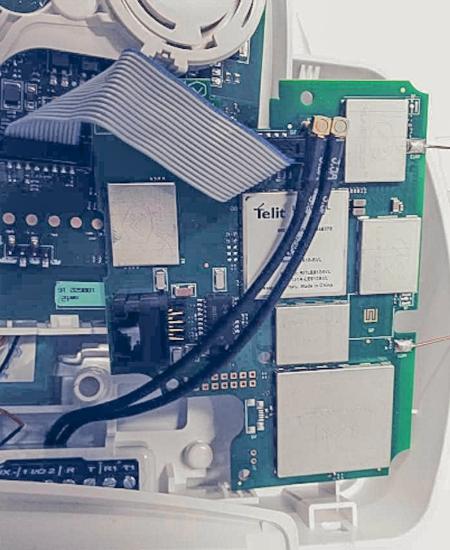
- Push the antenna end into the module connector to snap the antenna onto the module.
- Insert the module by angling the end of the module where the antenna is attached downwards, making sure that the edge of the module sits below the plastic tabs located at the top of the panel as shown in the following image. Push the other end of the module downwards, until it sits below the plastic tab located at the bottom of the panel.

- Place the antenna in the slotted space above the module.
- Connect the module to the panel via the 16 pin ribbon cable. The ribbon connector is located at the top of the module, near the antenna. On the panel, the ribbon connector is located directly across from the connector on the module.
- Power on the panel by connecting the battery and closing the panel, which provides AC power.