
My Circle Overview
My Circle is the easiest way for families to stay connected. My Circle helps customers know their loved ones are okay – even when they are apart.
My Circle uses data from a loved one’s mobile phone to share the full story about how they are doing. With its at-a-glance dashboard, real-time alerts, and self-reported wellness updates, My Circle offers customers a virtual safety net to keep their families safer and more connected than ever before.
Customers can access information about their loved ones using the Alarm.com Alarm.com app, and receive proactive alerts that help them take action if a potential issue is detected.
Note: Loved ones that are Android users may see a persistent notification from My Circle about an updated step count. This is necessary for regularly pulling updated data from Android My Circle users.
Features
- My Circle’s dashboard highlights a loved one’s activity, how they’re feeling, whether they’re home or away, and more
- Color coding makes it easy to convey if all is well (green), if there may be a need to check in (orange) or if it's likely there's an active issue (red)
- Real-time alerts operate as an early warning system to address potential issues before they worsen
- My Circle is an app-based feature requiring no additional hardware or onsite installation
- Receive alerts when loved ones leave and return home based on a set Home location using Alarm.com's Places feature
Requirements
- An Interactive Alarm.com account with the My Circle feature add-on
- For more information, contact your service provider.
- The Alarm.com Alarm.com app
- iOS app version 5.9.8+ or Android version 5.7.6+
- The My Circle Terms must be accepted
- For more information, see How do My Circle Terms work?.
- For more information, see How do My Circle Terms work?.
- Inviting others to My Circle requires specific permissions
- Logins with Owner, Master, or Full Control permissions are eligible to send invitations
- Custom logins can also be provided with two types of My Circle permissions: one to view My Circle profiles and the other to view and manage My Circle, the latter of which empowers them to invite others as well

Gain the Whole Picture of Wellbeing
My Circle collects and analyzes data for your customers in four main categories.
 |
 |
 |
 |
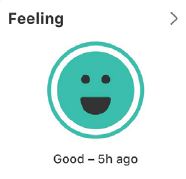
| Loved ones share how they are feeling with just one tap in the Alarm.com app. |
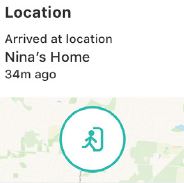
Receive alerts when loved ones leave and return home based on a set Home location using Alarm.com Places. |
View a loved one’s phone battery level and receive an alert if it gets too low. |
See daily step counts and get alerts if no steps are detected in 24 hours. |
Frequently asked questions
How do My Circle Terms work?
My Circle Terms must be accepted before the feature is available to users. The terms are available to Primary and Master Control logins first. If the terms are accepted, all other login types on the account will then he presented with the My Circle Terms.
If any user declines the terms, permission to view My Circle will be removed from all logins on the account.
For more information about resetting the terms agreement, contact Alarm.com CORE Technical Support.