
3rd party camera calculator
Calculator overview 
Use this calculator to generate an estimated cumulative bitrate across all cameras to be connected to the CSVR.
A camera profile is a group a cameras with either the same settings or bitrates. Add up to 16 profiles as needed. For each profile, calculate the bitrate based on the cameras' settings or enter a maximum bitrate instead.
Stream 1 and stream 2 are both required.
- Stream 1 should be the camera's highest bandwidth stream used for high-definition recording during periods of motion.
- Stream 2 should be the camera's lowest bandwidth stream used for recording during periods of inactivity.
Restrictions
The calculator warns you if you exceed any of the following maximum values:
| Bandwidth |
100 Mbps per CSVR A camera system streaming above 100 Mbps to a CSVR will likely experience trouble connecting to cameras, poor video quality, and loss of recorded video. |
|---|---|
|
Cameras |
16 cameras per CSVR Each CSVR can support up to 16 camera streams. |
Step by step instructions
- Using the Hard drive size dropdown menu, select the desired CSVR storage in Terabytes.

- In Camera Profiles, click Add to create a new camera profile. Camera profiles are groups of cameras that have the same configurations. Click Delete to remove the selected camera profile.
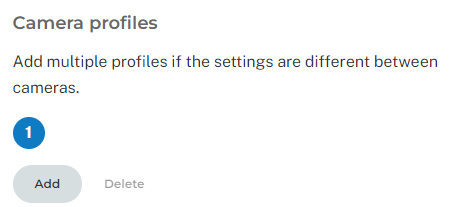
- In Configure profile, configure the following:
- Using the Number of cameras dropdown menu, select the desired number of cameras in the profile (i.e., the number of cameras that share the same configuration).

- Click the Bitrate toggle switch to alternate between calculating the bitrate and entering bitrate manually:
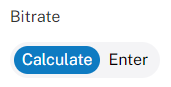
- If calculating the bitrate:
- Using the Stream 1 dropdown menus, select the camera's higher resolution and frame rate.

- Using the Stream 2 dropdown menus, select the camera's lower resolution and frame rate.

- Use the Activity level slider to adjust the estimated amount of motion the camera is likely to view.
- Using the Activity level dropdown menu, select the number of hours that the motion is expected to last every day.

- Using the Stream 1 dropdown menus, select the camera's higher resolution and frame rate.
- If entering the bitrate manually:
- In Stream 1 (Mbps), enter the camera's higher bitrate stream.
- In Stream 2 (Mbps), enter the camera's lower bitrate stream.

- Using the Number of cameras dropdown menu, select the desired number of cameras in the profile (i.e., the number of cameras that share the same configuration).
- Click Export CSV to export the results to a .csv file.
Example configurations
Simple
A simple configuration is one where all of the cameras have the same configuration. Consider a camera system that consists of only exterior cameras that all record at the same resolution.
The simple configuration only needs a single camera profile because all of the cameras have the same settings. Simply select the total number of cameras, and input the appropriate recording settings to get an estimate.

Advanced
An advanced configuration is one where the cameras may not all share the same settings.
Consider a camera system where there is a mix of outdoor and indoor cameras with one pointed at a cash register. The camera pointed at the cash register records at a higher resolution and frame rate than the other indoor cameras, and the outdoor cameras have the highest resolution.
In this advanced configuration, you need three camera profiles to get an effective calculation.
- One profile for the outdoor cameras

- One profile for the indoor cameras

- One profile for the indoor camera pointed at the cash register

Third-party camera storage and bitrate calculator
Configuration
Select storage
Camera profiles
Add multiple profiles if the settings are different between cameras.
Configure profile
Results
Cumulative bitrate
Mbps
Total cameras
Storage
GBs used per day
Days of footage